
01How it works

Three steps from your phone to a paid clip.

010203
Someone on a sofa reading an open task on their phone
Open task on a phone
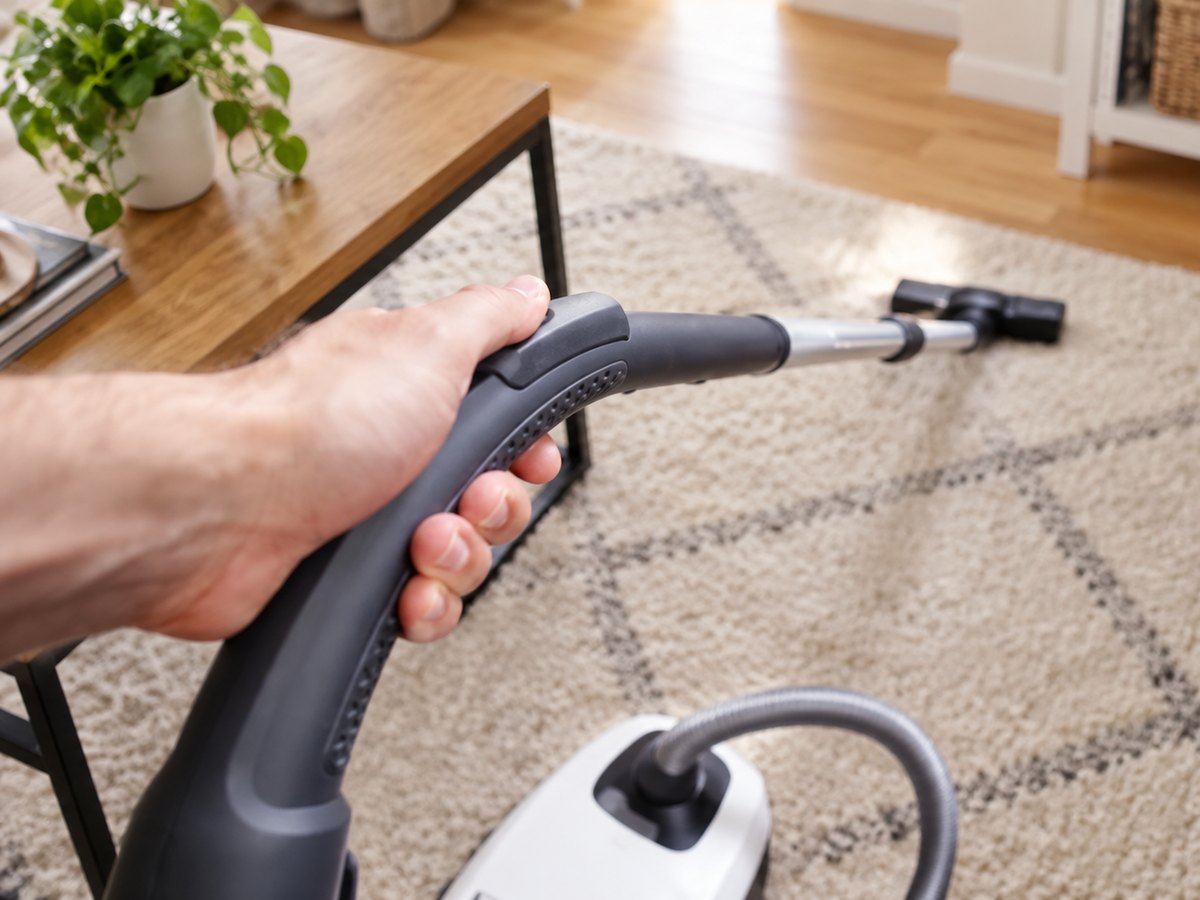
First-person view of a hand vacuuming a living room rug
Vacuuming · first-person view
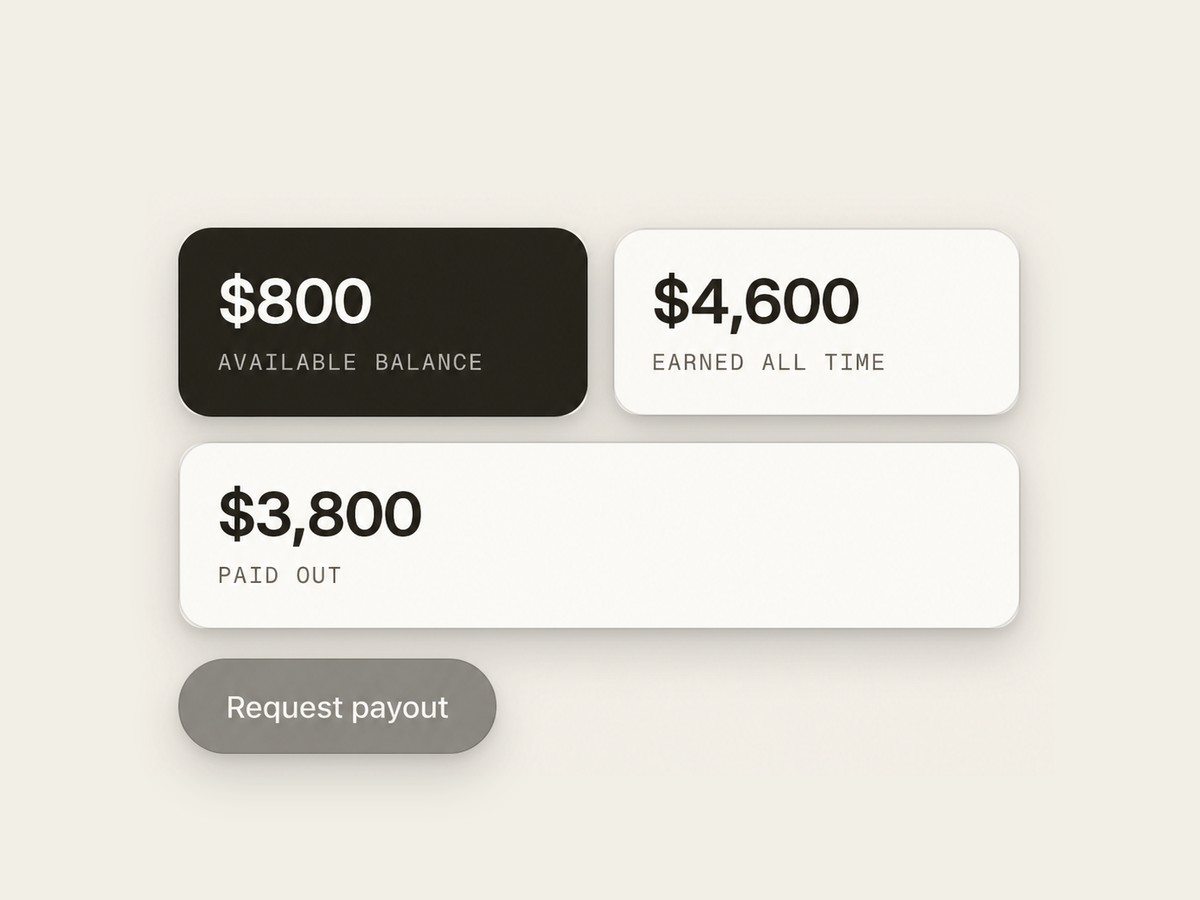
The Earnings screen: available balance, earned all time, paid out, and a Request payout button
Earnings · request a payout
01
Someone on a sofa reading an open task on their phone
Open task on a phone

Pick a task

Open tasks show the pay, the deadline and exactly what to capture: the object, the motion, the angle, how long. Filter by what you have at home.

02
First-person view of a hand vacuuming a living room rug
Vacuuming · first-person view

Film it, and talk through it

Prop your phone, press record and do the task while you say what you are doing and why. Robots learn from the words as much as the motion: which corner you grab, why you slow down, what you check before you stop.

03
The Earnings screen: available balance, earned all time, paid out, and a Request payout button
Earnings · request a payout

Upload and get paid

Submit from the app. We fingerprint the file and cut a preview; the robotics team checks it against the checklist and every accepted clip pays out through Stripe.

“I’m folding the long edge first so the towel stays square. Now I’m smoothing it flat before the second fold.”
Say it out loud. Narrated clips pay more and are accepted more often, because the intent behind each move is what a robot cannot see.
02What you need

A phone, some light, your voice, and ten minutes.

Required

A phone that shoots 1080p

Almost any phone from the last five years. Prop it on a tripod, a mug or a stack of books.

Required

A spot with decent light

Kitchen counter, desk, garage bench. Daylight or a lamp. No studio.

Required

Your voice

Describe what you are doing and why, as you do it. Plain language, no script.

Two hands washing a mug with a sponge under a running tap, seen from above
Hands · mug · sink
Pays more

A head-mounted camera

First-person tasks pay a premium. A cheap action cam on a strap works.

Pays more

A robot arm or teleop rig

Operators with hardware get the highest-paying tasks.

Guide8 min read

How to film for robots: framing, light, narration, and the ten mistakes that get clips rejected.

Read the filming guide →
A worker in a hard hat and safety vest wearing camera glasses on an industrial site
03Earnings

What a few hours a week adds up to.

Tasks pay about $20 per accepted hour of footage. Drag to see what a week of filming adds up to.

Hours accepted per week10
110203040
Estimateper month
$0
$0
per week
$0
per year
Apply to film →

An estimate at $20 per accepted hour of footage. Pay varies per task.

04Work from home

Work that fits around your life, not the other way round.

  • 01

    No schedule

    Tasks stay open for days. Film at 7am or midnight, in one sitting or across a week.

  • 02

    No experience

    If you can follow a checklist, hold a phone steady and say what you are doing, you qualify.

  • 03

    No audience

    Nobody watches but a robotics team. No followers, no editing, no performing.

  • 04

    Anywhere

    Kitchens, garages, gardens and workshops are exactly where robots need to learn.

Apply from anywhere →
Filming a tool bench in a garage with a headset camera
Garage · headset cam
Folding laundry on a sofa with a phone propped on the armrest
Sofa · phone on armrest
05Open tasks

Tasks you could film on your next job.

Every task spells out what to film, how to film it and how long the clip should run, before you pick up the camera.

06Questions

Before you pick up the phone.

Everything else is in the filming guide.

Do I need to be on camera?+
No. Tasks want your hands, the objects and your voice. Where a face would be in frame the task says so, pays more, and you consent per clip.
Why do I have to talk while I film?+
Robots learn from what you do and why you do it. Saying "I am grabbing the corner that is closest so it does not slip" gives a model the intent behind the motion. Clips without narration are accepted for some tasks, but narrated clips pay more and are accepted more often.
What phone do I need?+
Anything that records 1080p, which is almost any phone from the last five years. A small tripod or a stack of books to prop it on helps. Headsets and rigs are optional and unlock higher-paying tasks.
How much can I actually make?+
Pay varies per task and works out to about $20 per accepted hour of footage. Ten accepted hours a week is roughly $870 a month.
How and when am I paid?+
For every hour of footage a team accepts, through Stripe. Request a payout from Earnings whenever you have a balance of $10 or more.
Who owns my footage?+
You do. You license each accepted clip for the use the task states, usually AI training.
What gets a clip rejected?+
Missing the checklist: wrong length, shaky frame, the object out of shot, no narration when one was asked for. You see the checklist before you film and the reason if a clip is rejected, and you can submit another.
Is this available where I live?+
Yes. Tasks are filmed at home and paid through Stripe, which covers most countries. Some tasks ask for a specific environment or language.
Get started

Your first clip could be filmed tonight.

Robotics team? Request footage instead →